

Één marketing en sales systeem voor organisaties om klanten, leads en afspraken te beheren zonder losse tools.
Schaal je marketing en je sales
Automatiseer je marketing en je sales opvolging
Met persoonlijke begeleiding en wekelijkse Q&A sessies

Succesverhalen van ondernemers zoals jij
KIO is gemaakt voor ondernemers die meer impact willen maken, zonder 60 uur per week te werken.
Zo gebruiken zij KIO om minder te werken en meer te verdienen.
W. Prins | Directeur APK Skills
Alles voor jouw organisatie op één plek
KIO groeit met je mee. Kies het pakket dat past bij waar jouw bedrijf nu staat.
KIO Uitgebreid
Voor meer structuur
Klantenregistatiesysteem
Taken aanmaken
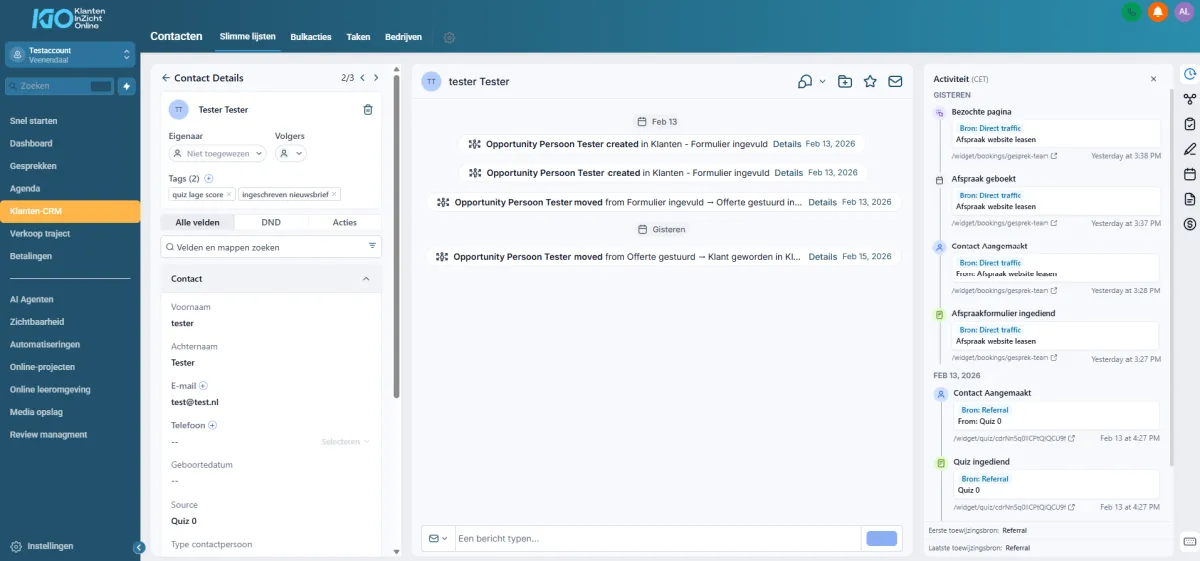
Alle communicatie op één plek
Online kalender
Landingspagina's
Formulieren
Integratie met social media
Pagina linkjes social media
Reviewmanagement
Chatbox op je website
Persoonlijk Nederlands aanspreekpunt
1 op 1 onboarding
Toegang 1 gebruiker**
Nu voor slechts €29,- /maand
* Afhankelijk van je gebruik kunnen er gebruikskosten bijkomen.
** Per extra gebruiker komt er €10,- bij.
Meest gekozen
KIO Compleet
Voor als je wil opschalen
Alles van Uitgebreid
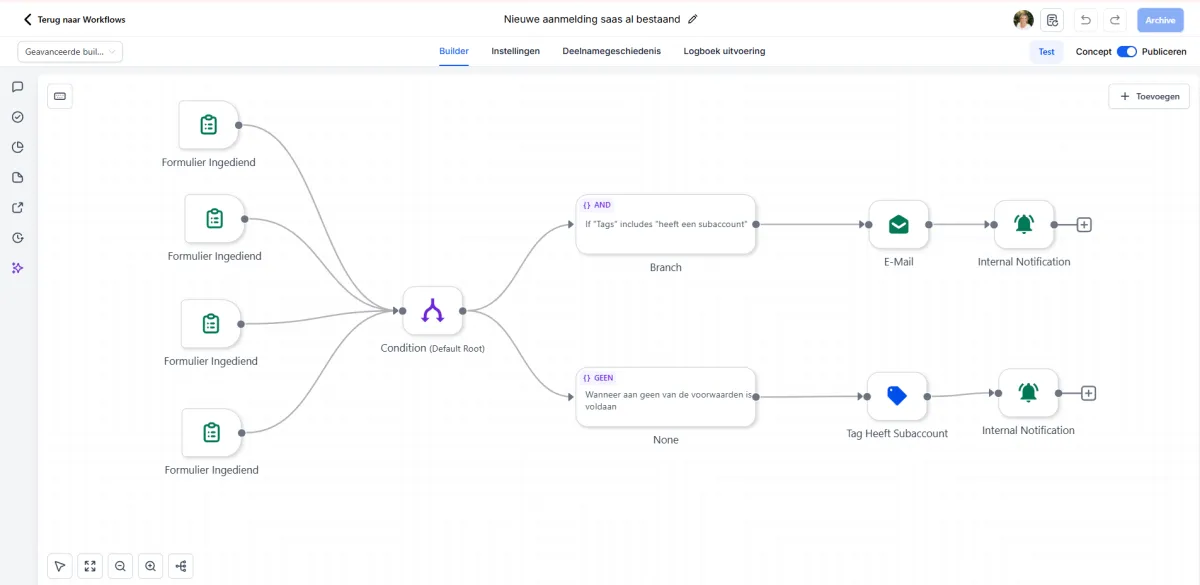
Automatiseringen
Websites
Funnels
Survey
Quiz
Online leeromgeving
Online community
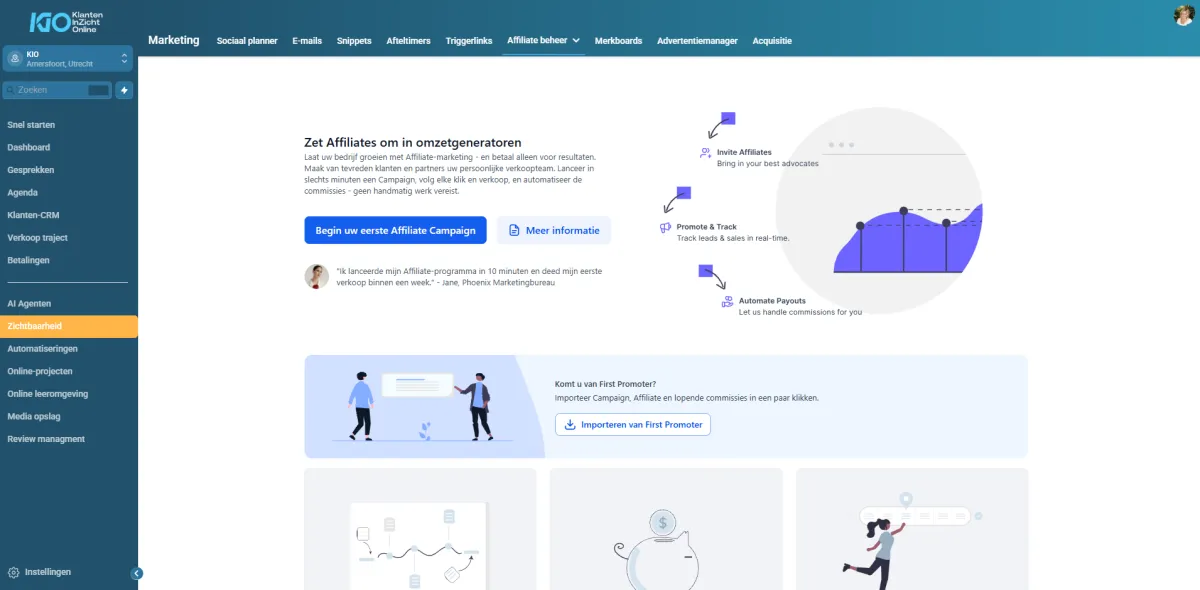
Email marketing
Affiliate systeem
Toegang 1 gebruiker**
Nu voor slechts €79,- /maand
* Afhankelijk van je gebruik kunnen er gebruikskosten bijkomen.
** Per extra gebruiker komt er €10,- bij.
Stop met stapelen van tools. Bespaar elke maand tientallen euro’s.
Een organisatie/ bedrijf gebruikt gemiddeld 6 tot 10 losse systemen: agendasoftware, e-mailsysteem, CRM, facturatie, planning, notities en website plugins. Dat kost geld, tijd én overzicht.
Met KIO betaal je één bedrag voor al deze functionaliteiten en werk je vanuit één plek.
Meer rust. Minder gedoe. Meer klanten.
Plug & Pay = +/- €25,- per mnd
Huddle = +/- €59,- per maand
Mailblue = +/- €59,- per maand
Skool = +/- €99,- per maand
Calendly = +/- €12,- per maand
Zapier = +/- €25,- per maand
LinkTree Pro = +/- €13,- per maand
Hosting = +/- €10,- per maand
AI bot en live chat = +/- €65,- per maand
Totaal per maand: €367,-
KIO kost €79,95 per maand
Je bespaart €287,05 per maand en €3.444,60 per jaar!








Ontdek het platform dat organisaties helpt hun bedrijf te laten groeien
Je hoeft niet alles zelf te onthouden. KIO laat je precies zien wat aandacht vraagt in je bedrijf,
wat urgent is en waar kansen liggen
Voor organisaties
Voor kleine teams
Geen technische kennis nodig
Met 2 wekelijkse Q&A's
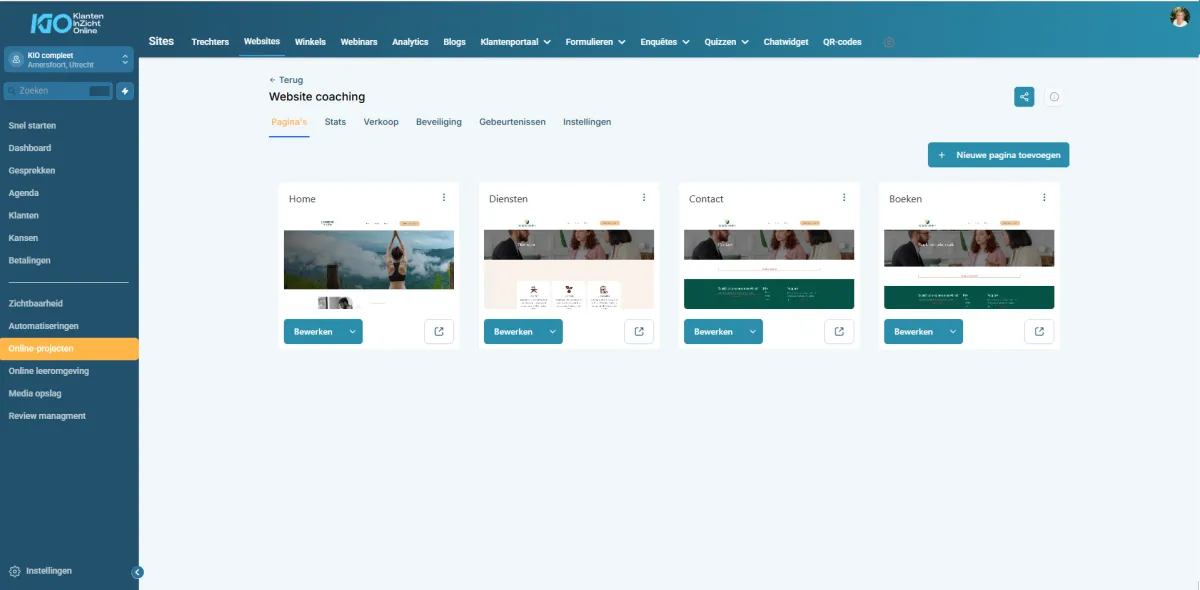
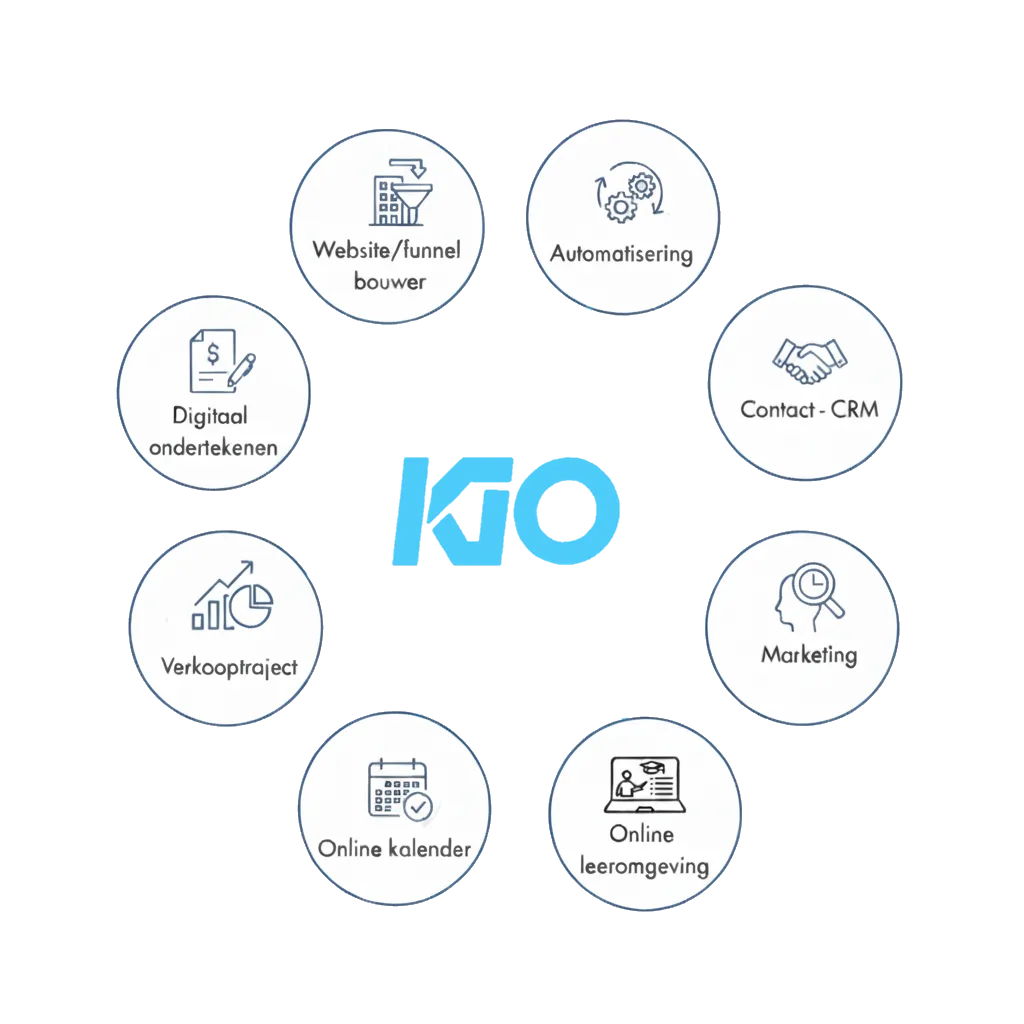
Functies van KIO
Marketing
Websites & landingspagina’s
Funnels
Formulieren
Review management
Social media
Chat
Sales
Klanten-CRM
Afspraken planner
Offertes
Pijplijn
Digitale handtekening
Automatisering
Automatisering
Leads opvolging
Interne taken
Herinneringen versturen
Beheer
Dashboard en overzicht
Agenda's
Rapportages
Instellingen en koppelingen
Wat maakt KIO anders dan andere systemen?
KIO is gebouwd voor organisaties/ bedrijven. Geen ingewikkelde marketingsoftware, geen overbodige functies.
Alleen de tools die je écht gebruikt, volledig in het Nederlands, makkelijk in gebruik en met persoonlijke ondersteuning.

Voor organisaties
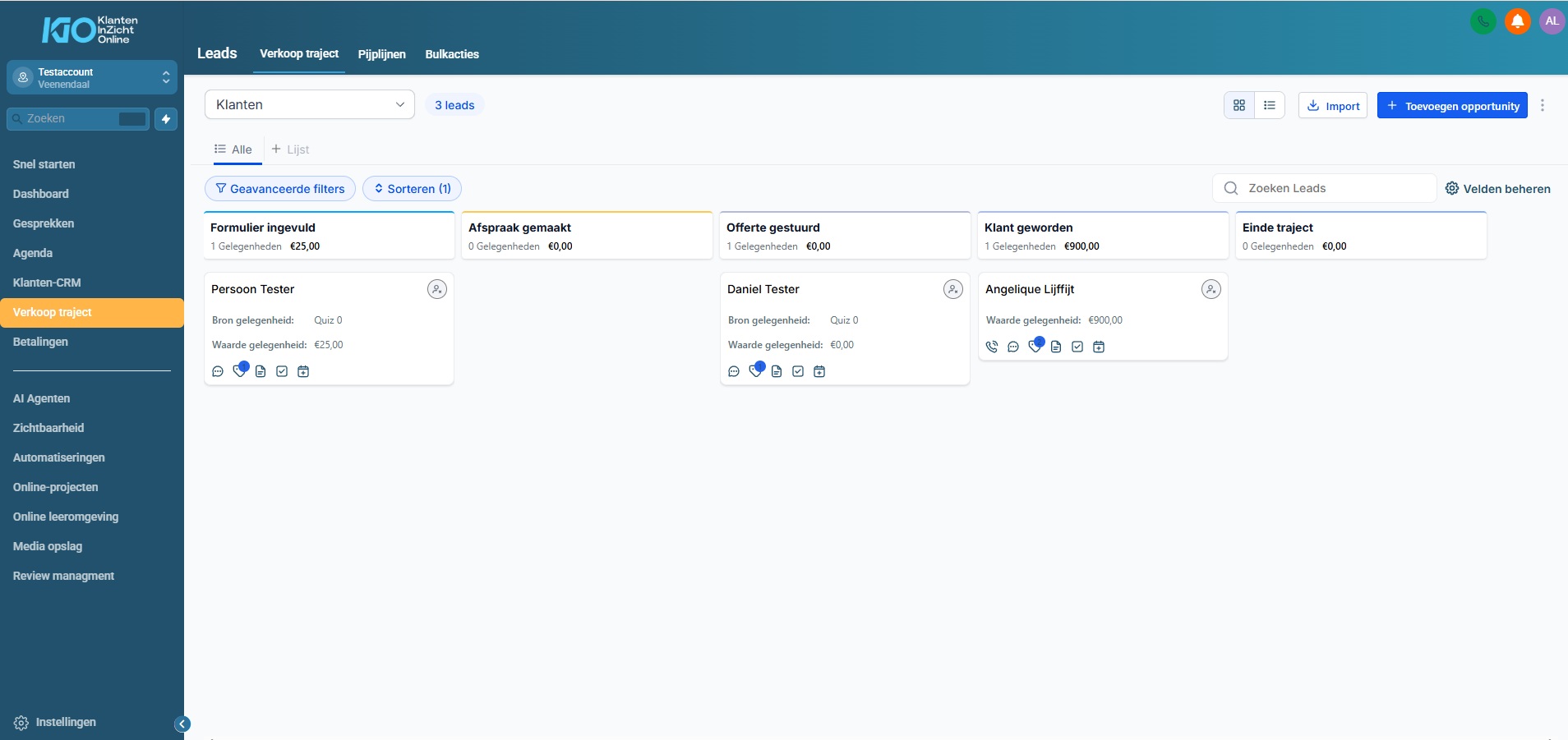
KIO is ontwikkeld voor organisaties. Je ziet precies waar je klanten staan, wat de volgende stap is en welke leads je moet opvolgen.

Eenvoudig in gebruik
Je hebt geen technische kennis nodig. Alles is logisch opgebouwd, zodat je meteen kunt beginnen en niets hoeft uit te zoeken.

Nederlandstalig
Software in de Nederlandse taal, maar inclusief internationale functionaliteit om te koppelen met o.a. Google agenda en de Social Media (Engelse termen)

Geen overbodige functies
Je krijgt alleen wat je als ondernemer echt gebruikt. Geen drukke dashboards of marketingtools waar je niets aan hebt.

Eén systeem in plaats van tien
Eén systeem in plaats van tien
KIO vervangt al je losse tools. Geen gedoe met apps, meerdere inboxen en spreadsheets. Alles staat overzichtelijk bij elkaar.

Persoonlijke ondersteuning
Je staat er nooit alleen voor. Je krijgt persoonlijke support, regelmatige FAQ-sessies en opnames in de community. Zo kun je altijd verder.
Veel gestelde vragen
Wat is KIO?
KIO is een overzichtelijk platform voor coaches en andere zelfstandigen, waarmee je al je klanten, leads, afspraken en communicatie op één plek beheert. Geen losse tools meer, geen ruis, geen administratie-chaos. Alles wat je nodig hebt om jouw coachpraktijk of bedrijf soepel te laten draaien staat in één systeem.
Gratis 30 dagen proberen
Er is een proefperiode van 30 dagen. Na deze 30 dagen gaat deze over in een betaald abonnement.
Hoeveel kost KIO?
Je kiest een pakket dat past bij waar jij nu staat en upgraden wanneer je wilt.
Het pakket is voor 1 gebruiker. Per gebruiker komt er €10,- bij per maand.
Zijn er extra kosten?
Voor sommige diensten binnen KIO betaal je gebruikskosten, zoals voor het versturen van automatische e-mails of als je de AI-tool intensief gebruikt. Deze gebruikskosten komen bovenop de abonnementsprijs. Je betaalt alleen voor wat jij gebruikt.
Als welkom krijg je van ons eenmalig een tegoed van €10,-. De gebruikskosten zijn:
E-mail: €0,001 per gestuurde mail (1.000 mails = €1,-)
AI-tool: €0,135 per 1.000 woorden.
Daarnaast heb je de mogelijkheid om extra abonnementen af te sluiten voor Whatsapp, SMS en bellen vanuit KIO. Ook kunnen we je website in WordPress bouwen.
Meer weten over de mogelijkheden en kosten?
Wat kan ik precies met KIO?
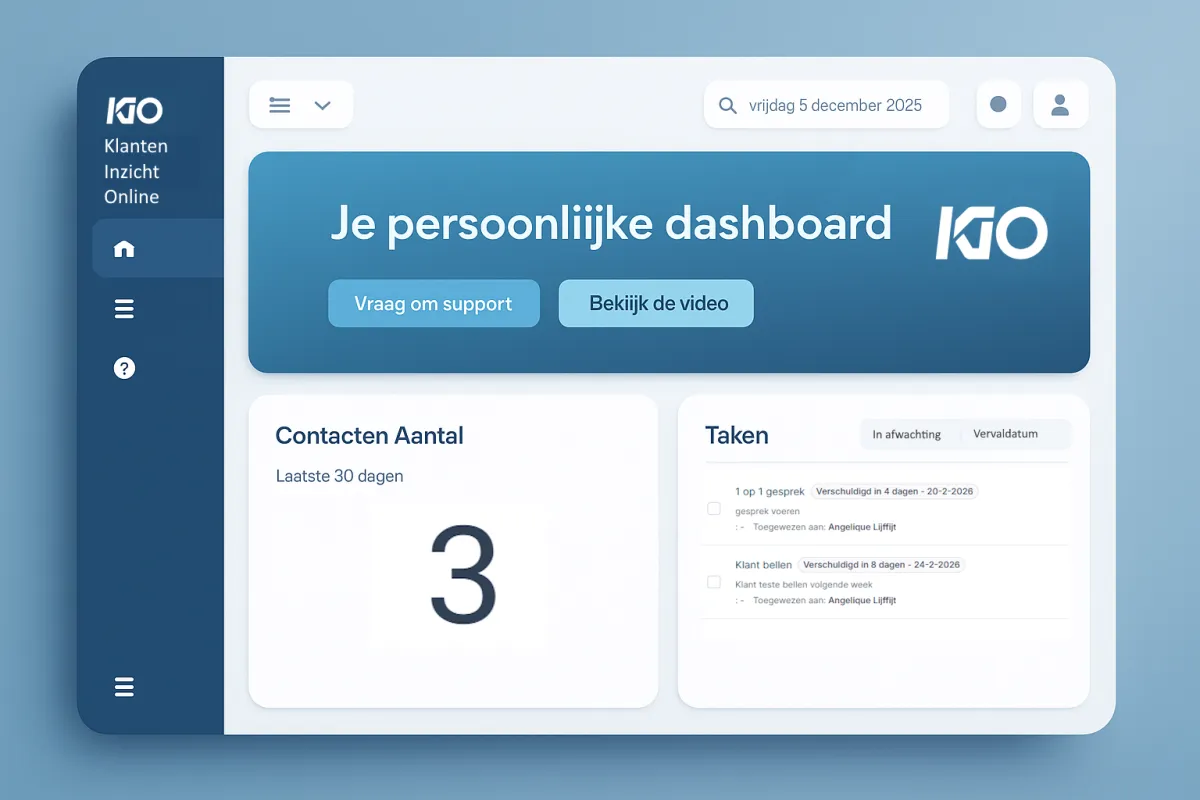
Je volgt leads makkelijk op, plant afspraken in, automatiseert simpele taken en houdt overzicht in je trajecten. Zo bespaar je tijd, creëer je rust en begeleid je meer klanten, zonder extra werk.
Is KIO geschikt voor mij?
Ja, KIO is speciaal voor zelfstandig ondernemers ontwikkeld. De functies zijn afgestemd op hoe jij werkt: gesprekken, trajecten, leads, afspraken en opvolging.
Hoe werkt KIO?
Je logt online in en ziet direct wat er speelt en aandacht vraagt in je bedrijf. Nieuwe leads, openstaande taken, klantgesprekken en trajecten. Alles staat overzichtelijk bij elkaar zodat jij nooit meer iets vergeet.
Richt je account in zoals jij dat wilt, zelf of volledig ontzorgd
Zelf aan de slag of kies voor gemak
Jij bepaalt of je het zelf doet of onze experts inschakelt.
✔ Volledig op maat ingericht
We stemmen alles af op de grootte van jouw organisatie en jouw specifieke wensen.
✔ Snel, professioneel en zonder stress
Laat je ontzorgen door specialisten die weten wat werkt.
Transparante prijs: vanaf €750,- tot €2.500,-
Geen verrassingen achteraf, je weet precies waar je aan toe bent.
Wil je het professioneel laten inrichten? Neem contact met ons op voor een vrijblijvende offerte op maat.
Wat is het verschil tussen betalen met iDEAL en creditcard?
Kies je voor iDEAL, dan keuren we je account handmatig goed . Dit kan wat extra tijd kosten. Betaal je met een creditcard, dan wordt je account direct automatisch aangemaakt.
Kan KIO mijn werk echt automatiseren?
Ja, dat kan met KIO compleet. Denk aan reminders, follow-ups, bevestigingen en trajectstappen. KIO doet het standaardwerk, jij houdt het persoonlijke stuk.
Kan ik stoppen wanneer ik wil
Ja, dat kan. Je account blijft actief tot het einde van de lopende maand.
Zonder tegenbericht verlengen we je abonnement automatisch.
Wil je iemand spreken?
Kom je er niet uit?
Geen zorgen. Naast de persoonlijke ondersteuning organiseren we regelmatig live FAQ-sessies waarin je al je vragen kunt stellen en we je direct helpen. We nemen deze sessies op en plaatsen ze in onze community, zodat je ze altijd kunt terugkijken wanneer het jou uitkomt. Daarnaast kun je ons belle, emailen of whatsappen.
Kan ik mijn huidige contacten overzetten naar KIO?
Ja, je kunt eenvoudig je gegevens importeren. Wij helpen je graag als je vastloopt.
Moet ik iets installeren?
Nee, KIO werkt volledig online. Je kunt meteen starten.
Zijn updates inbegrepen?
Ja, alles wordt automatisch geüpdatet. Jij hoeft niks te doen.
Benieuwd of KIO bij jou past?
In een demo laten we je rustig zien hoe marketing, sales, automatisering en beheer samenkomen in één overzichtelijk systeem.
Gewoon kijken of het aansluit bij hoe jij wilt ondernemen.
Benieuwd of KIO bij jou past?
In een demo laten we je rustig zien hoe marketing, sales, automatisering en beheer samenkomen in één overzichtelijk systeem.
Gewoon kijken of het aansluit bij hoe jij wilt ondernemen.
© 2026 Samen effectief online BV